Ελληνικά
Your cart
There are no more items in your cart
 Educational Products
 School Equipment
 Stationery
 STEM - Robotics - Programming
 Electronics
 Educational Toys & Construction Kits
 Tools & Adhesives
 Craft Materials
 Art Supplies

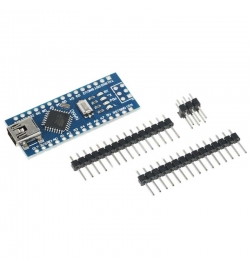
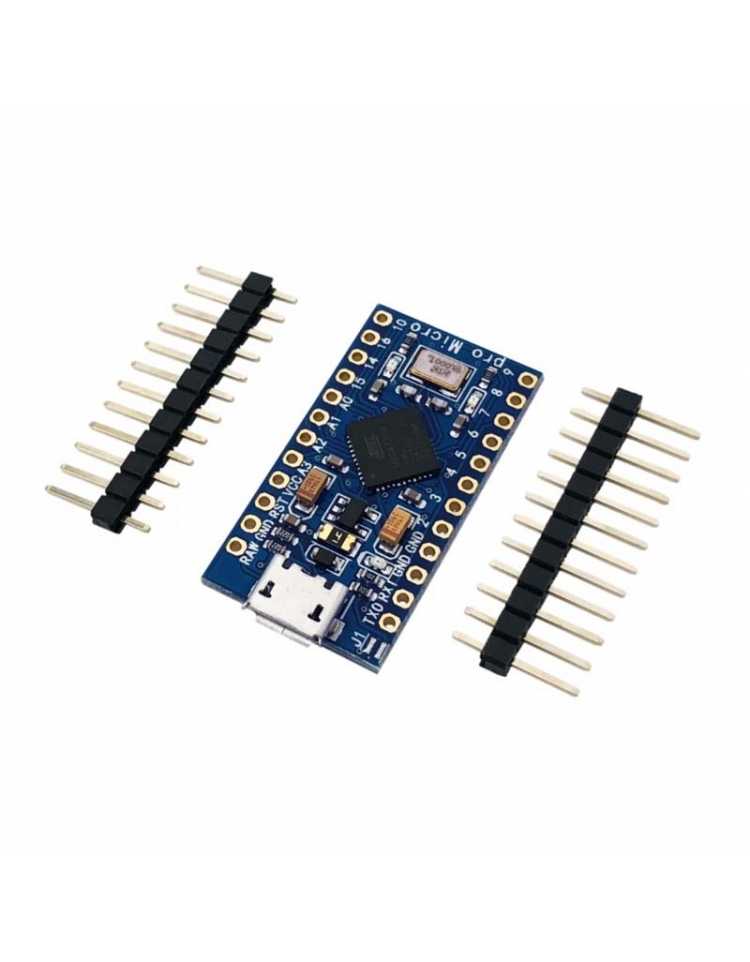
The Compatible Leonardo Micro (Pro Micro style) is an ultra-compact board with ATmega32U4 @ 16MHz/5V and native USB — it appears to your computer as a keyboard, mouse, or MIDI device without any additional hardware. The smallest Arduino-compatible board with HID capabilities.
The Compatible Leonardo Micro (SKU: AA146) — also known as Pro Micro in the maker community — is an exceptionally compact board combining the power of the ATmega32U4 with native USB connectivity in dimensions of just ~33×18mm. Thanks to the ATmega32U4's built-in USB transceiver, it appears directly to your computer as an HID device — keyboard, mouse, gamepad, or MIDI controller — no drivers, no additional hardware required. It runs at 16MHz / 5V and features a voltage regulator that accepts up to 12V DC on the RAW pin.
| Feature | Specification |
|---|---|
| Microcontroller | ATmega32U4 (native USB) |
| Speed / Voltage | 16 MHz / 5V |
| USB | Micro-USB (native USB HID — keyboard, mouse, MIDI) |
| Digital I/O Pins | 12 (5 PWM) |
| Analog Input Pins | 4 (10-bit ADC) |
| Serial | Hardware RX/TX |
| Power Supply | USB / RAW pin: up to 12V DC (with regulator) / VCC: 5V only |
| Protection | PTC fuse + diode protection on power circuit |
| Arduino IDE | ✓ Full compatibility (board: "Arduino Leonardo") |
| Dimensions | ~33mm × 18mm (1.3" × 0.7") |
The ATmega32U4 handles USB directly — no separate USB-to-serial chip needed. This means you can use the Arduino IDE's built-in Keyboard and Mouse libraries to create custom HID devices: macro keyboards, accessibility tools, gaming peripherals, MIDI controllers, automation scripts, and more. Your computer treats it exactly like a regular keyboard or mouse — plug and play, no drivers required.
How do I program it in the Arduino IDE?
Select: Tools → Board → "Arduino Leonardo". The Pro Micro/Leonardo Micro uses the same ATmega32U4 as the Arduino Leonardo — all libraries (Keyboard, Mouse, MIDIUSB) work normally. Use a Micro-USB cable to connect.
What is the difference from the genuine Arduino Micro?
The genuine Arduino Micro has larger dimensions (48×18mm), more analog inputs (12 vs 4), and official Arduino support. The Compatible Leonardo Micro (Pro Micro) is significantly more compact (~33×18mm) — ideal when space is critical and you don't need the extra analog inputs.
Can sketches get stuck in the bootloader?
In some cases (e.g. if you upload a sketch that interrupts USB), the Pro Micro may enter a bootloader loop. Solution: press the reset button twice quickly to enter bootloader mode, then immediately upload your new sketch from the Arduino IDE.