Ελληνικά
Your cart
There are no more items in your cart


What is a Breadboard and How to Use It Correctly – Beginner's Guide
31.03.2026

Welcome to the World of Electronics!
If you are just starting your journey into electronics and circuits, there is one tool that will become your best friend: the Breadboard. It is the first and most crucial step before you ever pick up a soldering iron.
In this guide, we will explore exactly what it is, how it works on the inside, and how you can use it to build your first projects.
What is a Breadboard?
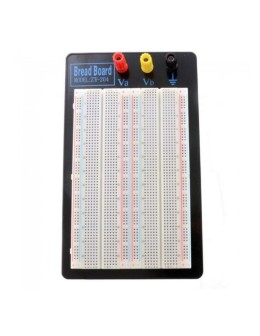
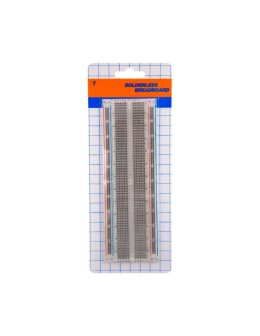
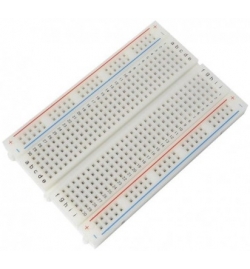
A breadboard is a plastic base with hundreds of tiny holes that allows you to connect electronic components (like resistors, LEDs, integrated circuits) and wires (jumpers) without the need for soldering.
Its biggest advantage is flexibility. If you make a wiring mistake or want to change a component, you simply pull it out and place it elsewhere. It is the ultimate tool for prototyping and experimentation.
How Does It Work Inside?
To use a breadboard correctly, you need to understand how the holes (pins) are connected to each other beneath the plastic cover. Hidden underneath are metal clips that grip the components and conduct electricity.

1. Power Rails
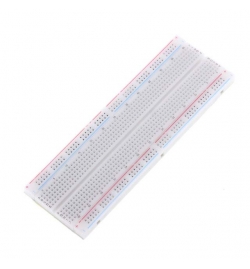
On the two outer edges (top and bottom) of most breadboards, you will see horizontal lines in red and blue (or black), marked with "+" and "-". These are the power rails. All the holes in the same horizontal line are electrically connected. This is where we usually connect the battery or power source to have easy access to power and ground from anywhere on the board.
2. Terminal Strips
In the center of the breadboard are the vertical columns. Each column (usually consisting of 5 holes, e.g., A, B, C, D, E) is connected vertically. This means that if you plug a wire into hole A1 and an LED into hole C1, those two components are electrically connected.
3. The Central Divide (DIP Support)
You will notice an empty trench dividing the middle area in two. This trench has a very specific purpose: it isolates the top side from the bottom side. This allows us to place Integrated Circuits (DIP ICs) in the middle without short-circuiting the pins on one side with the other.
Basic Steps for Correct Usage
- Connect the power first: Supply power (+) to the red rail and ground (-) to the blue rail. This gives you a clean layout.
- Use proper wires: Jumper cables (male-to-male) are ideal. Avoid bare wires that might break inside the holes.
- Keep it tidy: Try to keep the wires flat against the board. A "spaghetti" mess of wires makes troubleshooting a nightmare.

Common Mistakes to Avoid
- Short-circuiting components: Placing both ends of a component (e.g., a resistor) in the same vertical column (e.g., A1 and C1). This means the current will bypass the component completely.
- Applying too much pressure: If a component doesn't go in easily, do not force it. You might bend the pins or damage the breadboard's internal metal clips.
Find the Right Breadboard for Your Project
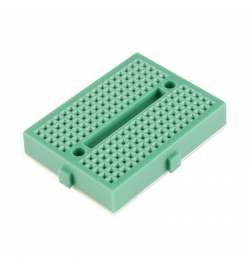
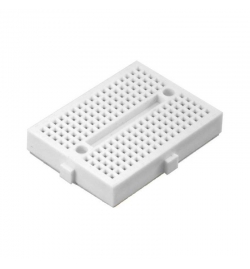
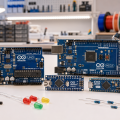
Whether you are building a simple LED circuit or a complex Arduino project, having the right size breadboard makes all the difference. In our e-shop, you will find options in various sizes (Mini, Half-size, Full-size) to start your experiments.
? Discover our collection: Find high-quality Breadboards at Antoniadis.com.cy
Share